TCG Card Shop Simulator Layout Ideas
Shop layout ideas for TCG Card Shop Simulator 1.0, ranked by what the mechanics reward: storage chain, selling surfaces, registers and play table pathing.
Written and sourced by TCG Card Shop DB Research Desk · independent fan project, not affiliated with OPNeon Games
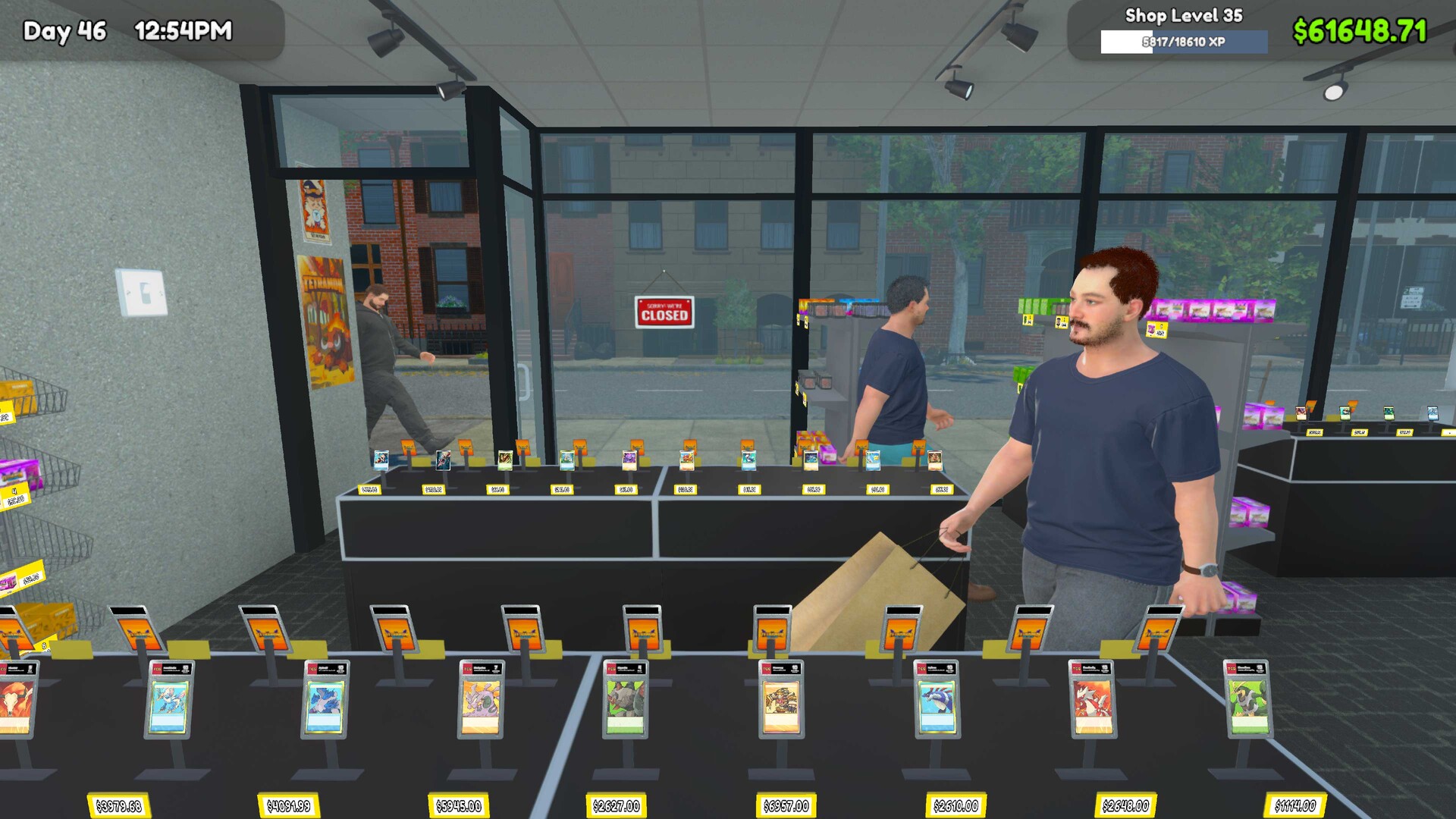 Official capture
 Direct answer
Build the storage chain first, then selling surfaces, then registers, then the play table corner. Furniture is bought in the MY DIY app, and each unit only earns if customers and staff can physically reach it.
What layout actually changes
Nothing about placement is cosmetic here. Four mechanics respond to where you put furniture: how many customers fit inside at once, which register they join, how many trips a stocker walks between the delivery box and the shelf, and whether a seated pair can reach their chairs. Furniture is bought in the MY DIY app on the phone, and the wiki lists every unit with a price, a level gate and a capacity.
The furniture ladder
Prices below are the wiki furniture tables. Treat them as reference points: in-game item costs are rolled per save file for most products, so your bill will differ.
| Unit | Price | Level | What it buys |
|---|---|---|---|
| Small Cabinet | $150 | 2 | 3 item types, 48 volume per compartment |
| Small Metal Rack | $200 | 2 | 5 item types, 16 volume |
| Single Sided Shelf | $300 | 3 | 6 item types, 32 volume |
| Card Table | $400 | 3 | 10 sellable card slots |
| Play Table | $200 | 3 | event seat income plus TCG duels |
| Small Warehouse Shelf | $500 | 5 | 4 box types, 64 volume |
| Double Sided Shelf | $750 | 11 | 16 item types, 32 volume |
| Big Warehouse Shelf | $1,000 | 13 | 8 box types, 64 volume |
| Checkout Counter | $1,500 | 15 | register, adds a daily electric charge |
| Vintage Card Table | $2,000 | 25 | 12 sellable card slots |
| Wide Shelf | $3,000 | 30 | 12 item types, 64 volume |
| Big Card Display | $5,000 | 50 | 20 slots, display only |
Type slots matter more than volume. A Double Sided Shelf holds 16 different products against a Small Cabinet’s 3, and a wall of cabinets starves your shopping list coverage while a couple of double sided shelves feed it.
Build the storage chain before the showroom
Delivery boxes drop on the floor. Stockers move them onto warehouse shelves and refill ware displays from those shelves, so a shop with displays but no warehouse shelf has staff walking the long route every trip. A warehouse compartment takes 4 small boxes or 2 big boxes and cannot mix them, and warehouse labels sit at the top of a compartment while display labels sit at the bottom, which is how you tell them apart from across the room.
Compartment capacity by unit, from the wiki Ware Displays tables, measured in card packs per compartment:
| Product | Cabinet | Single Sided | Double Sided | Wide Shelf |
|---|---|---|---|---|
| All card packs | 48 | 32 | 32 | 64 |
| Booster boxes | 6 | 4 | 4 | 8 |
| Battle decks | 12 | 9 | 9 | 15 |
| All sleeves | 32 | 20 | 20 | 40 |
A Wide Shelf at level 30 holds twice the packs of a Single Sided Shelf, which is why late shops replace racks in place rather than adding them.
Selling surfaces, not display surfaces
The layout mistake that reads as a sales problem: cards parked in furniture that cannot sell. Only the Card Table (10 slots, $400) and the Vintage Card Table (12 slots, $2,000) take customer money. Small Card Displays, the Card Display Table, the Big Card Display and every Wall Display Case are showroom pieces with no mechanical effect, which is fine wall space once the sellable tables are full. Personal shelves are a different trap: the wiki states items placed there cannot be bought by customers or handled by staff, so keep binder overflow and deck gear off the traffic aisle.
Registers, and the cost of the tenth customer in line
Queue selection is rule based. A customer looks for your register with nobody in line, then an NPC manned register with an empty queue, then the shortest queue, picking randomly at a tie. Customers also switch lines mid-shop when another queue becomes shorter, so two counters at the same wall does not split demand the way players expect. Each counter then carries a $4 daily electricity charge on top of the base light rate, so buy the second register when queues justify it, not when the cash appears.
The play table corner
Tables are the only furniture with a physical access requirement. The community rule is blunt: after placing a table, walk a path to every seat yourself, and if you can reach it without being blocked, customers can too. Tight grid snapping helps, and the same notes describe spanning three tables from window to back wall as seat, table, seat.
The payoff is threefold. Seat hire pays by the hour and the game auto-prorates, so a 30 minute Standard game at a $7 hourly rate collects $3.50. Table play feeds XP, and the wiki records that payout as average review score squared, times 0.15, times a shop level factor capped at level 50, times 10, times total play time in minutes divided by 60, calculated per seated player and doubled because two players always sit. Since 1.0 the same tables are where you duel: any lone waiting customer can be challenged with right mouse for a 3 to 5 minute match while the shop runs.
One timing rule matters at closing: events run from open until 9 PM and a customer sitting alone pays nothing until an opponent arrives, so let matches finish and check out the players before the day ends.
Three layouts by stage
- Level 2 to 10, single room. Line the entrance wall with cabinets and one single sided shelf so the visible coverage is wide, keep the delivery path from door to floor clear, and put the first play table in a corner with access on two sides rather than boxed in.
- Level 11 to 30. Add the double sided shelves as aisles, one Small then one Big Warehouse Shelf behind the counter line, and a second register only once queues persist past a minute. Move the Card Table next to the register run so a buyer can browse and pay in one pass.
- Level 31 onward. Wide shelves replace racks, a dedicated table block with clear seat access, and personal shelves for your collection so binder stock never blocks sellable slots. Decoration is where 1.0 spends its visual budget: 55 community art posters arrive as in-game items, the announcement counts the decoration options in the same line, and the patch adjusted wall, floor and ceiling material colors. None of it is recorded as changing sales, so treat it as the last money you spend.
For the placement math behind stock, see the stock order ledger and the beginner guide; when a well-placed shelf still does not sell, the causes are in cards not selling.
Sources
Saved snapshots of every page cited, all fetched 2026-09-18:
- https://tcgcardshopsimulator.wiki.gg/wiki/Ware_Displays
- https://tcgcardshopsimulator.wiki.gg/wiki/Shop_Furniture
- https://tcgcardshopsimulator.wiki.gg/wiki/Card_Displays
- https://tcgcardshopsimulator.wiki.gg/wiki/Warehouse_Shelves
- https://tcgcardshopsimulator.wiki.gg/wiki/Personal_Shelves
- https://tcgcardshopsimulator.wiki.gg/wiki/Play_Tables
- https://tcgcardshopsimulator.wiki.gg/wiki/Mechanics_and_Formulas
- https://tcg-card-shop.fandom.com/wiki/Play_Table
- https://tcg-card-shop.fandom.com/wiki/Manage_Event
- https://tcg-card-shop.fandom.com/wiki/Phone
- https://steamstore-a.akamaihd.net/news/externalpost/steam_community_announcements/1843481262702357
Questions on this guide
What furniture should I buy first?
A Play Table at $200 and a Card Table at $400, both level 3 in the wiki furniture tables, then a Small Warehouse Shelf at $500 when you hit level 5. The warehouse shelf cuts the trips your stocker makes, which is what actually speeds up restocking.
Do decorative card displays increase sales?
No. The wiki states that Card Displays show cards without customers being able to buy them and that this has no mechanical effect on the shop. Only the Card Table and Vintage Card Table sell singles.
How many checkout counters do I need?
As many as your queues require and no more. Customers take the shortest line and switch lines when one gets longer, and the wiki mechanics page records a $4 daily electricity charge for every register in the shop.
Can customers reach every seat?
Not automatically. The community advice is to walk the path to each seat yourself after placing a table, because if you can get through the gaps without being blocked, customers can too.
Source note: Every mechanic and figure in this guide traces to a saved copy of an official TCG Card Shop Simulator store page, developer news post, or community wiki record captured before publication. Anything the sources do not settle is marked rather than estimated. Corrections to contact@tcgcardshopdb.wiki.